Kingy said:
Had my first dud print yesterday. Any of the experts here have useful suggestions?
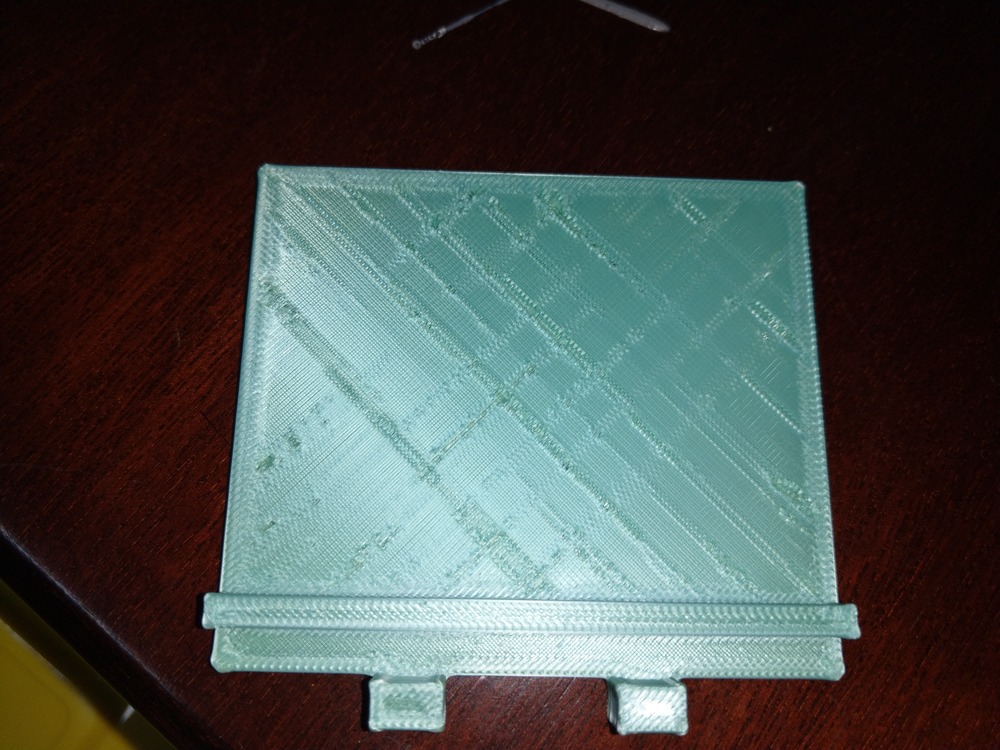
How many layers there?
Typically you want the first layer to be a bit squishy onto the plate to get good adhesion. For something like that it’s often a good idea to slow the print down, so on the slicer when you send the print select 50% speed and make sure it starts off like that.
The other way to force it to go slowly is to slice the part then on the vertical bar on the right, bring the top round thingy right down to the bottom so it’s at the first layer and then right-click on the round thingy and ‘add gcode’.
You can use the speed modifier to get whatever speed you like, for example if you want the print to start at 30% speed you add the gcode M220 30 and that’s it. Once it’s got a few layers down you can go back to 100% speed.
It’s a handy trick for printing very tall things that can get wobbly on the plate towards the end of the print.
Failing all that, use two layers of raft. Yeah it sucks but it also works.